
If you have opened Garment Creator 2 to find you are missing your pre-sets in the top right, then the user configuration may have become corrupt.
You will need to navigate to the following and delete the contents:
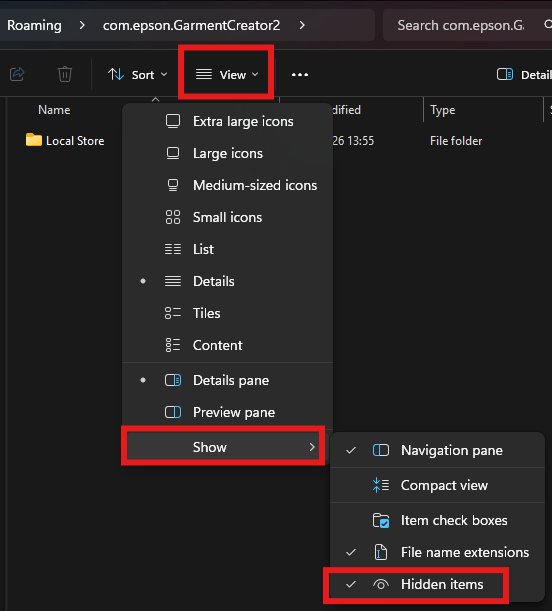
C:\Users\ [ the account your are logged into ] \AppData\Roaming\com.epson.GarmentCreator2\Local Store
If you do not see the "AppData" folder. Click on View > Show > Hidden items